
What can you do with Adams County GIS Colorado resources?
What the Adams County, Colorado GIS maps show you: property boundaries, floodplain layers and parcel data, and how to use them well.
29 min read5,890 wordsZip Cost Ledger editorial
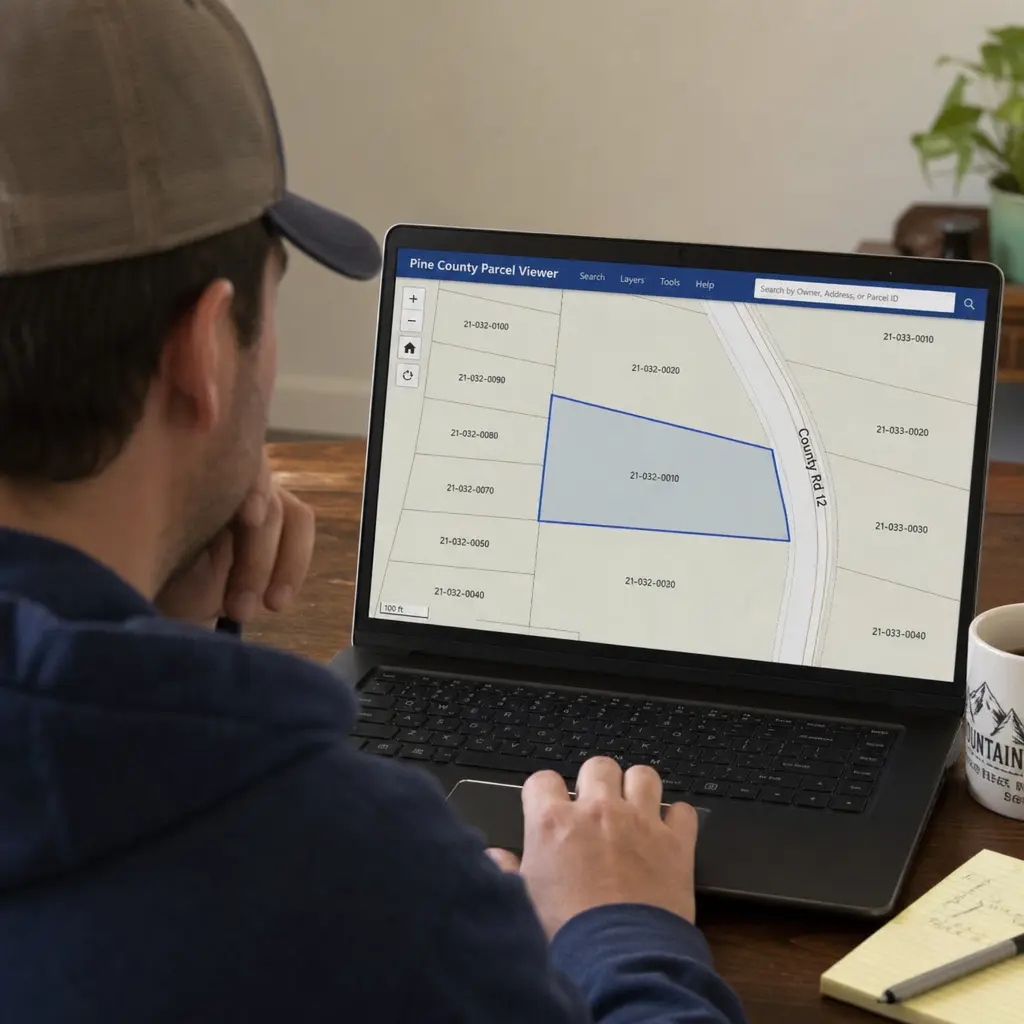
You can use Adams County GIS Colorado resources to explore property boundaries, review parcel information, check map layers, look at floodplain-related data, and find public information tied to a specific location. Adams County offers interactive GIS maps, including a basic web map for commonly requested county information, an advanced web map with more data layers, an “Eye on Adams” tool for building permits, code violations, and land use cases, and a floodplain-focused web map. (adamscountyco.gov)
But knowing the tools exist is only the first step. To use them well, you need to know which one to open, what to look for, and when to stop using the map and call the county instead. This guide walks through practical ways to use Adams County GIS, avoiding common mistakes and focusing on getting accurate answers. (adamscountyco.gov)
For most users, GIS is useful because it puts separate pieces of public information into a visual context. A property record may tell you an account number or owner name, but a map shows where that parcel sits, what surrounds it, and which boundaries may affect it. That makes GIS especially helpful when you are trying to understand a property before calling a county office, starting a project, or comparing multiple locations.
The phrase “adams county gis colorado” is often used by people looking for a quick way into the county’s mapping tools. Once you are there, the key is knowing what question you are trying to answer. A buyer may want to understand parcel shape and nearby land use. A homeowner may want to check whether a property is in unincorporated Adams County. A contractor may need to review permit or floodplain context before planning next steps.
GIS turns property data into practical context
GIS stands for Geographic Information Systems, but in everyday use it is best understood as map-based information. A GIS platform combines location with data, allowing users to view patterns, boundaries, relationships, and property details that are harder to understand in a spreadsheet or written record. Adams County describes GIS as a system that deals with location data and supports analysis and visualization across county business needs, from assessment to zoning. (adamscountyco.gov)
That matters because property decisions are rarely about one isolated fact. A parcel’s value, potential use, risk, and convenience can depend on multiple location-based details. The lot may be near a municipal boundary, inside a special district, adjacent to a drainage feature, or affected by development activity nearby. GIS helps you see these factors together.
A good map also reduces confusion. Addresses can be written differently, parcel numbers can be mistyped, and neighborhoods can cross jurisdictional lines. A map lets you visually confirm that you are looking at the correct property before relying on the information you find.
Common reasons people use county GIS maps
People use county GIS tools for many practical reasons, including:
- Property research: Checking parcel lines, account information, ownership references, and nearby parcels.
- Homebuying preparation: Understanding the surrounding area before making an offer or ordering professional due diligence.
- Project planning: Looking at boundaries, land use context, and possible county review areas before contacting staff.
- Floodplain awareness: Reviewing map layers that may signal whether a property needs additional investigation.
- Jurisdiction checks: Determining whether a property appears to be in an incorporated city or an unincorporated part of the county.
- Neighborhood monitoring: Looking for nearby permit, code, or land use activity when available through county tools.
- Data analysis: Downloading public GIS or assessor data for reporting, planning, or research.
None of these uses replaces professional advice, a survey, a title review, or direct confirmation from the appropriate office. Still, GIS can help you ask better questions and avoid starting from scratch.
The main Adams County GIS tools and what they are for
Adams County provides several mapping and data entry points, and each serves a slightly different purpose. Choosing the right one saves time because not every tool is built for the same type of search. A simple property lookup may not require the advanced web map, while a planning question may need more layers than the basic map provides.
Basic web map
The basic web map is the best starting point for many residents. It is designed to show commonly requested county information in a concise format. If you are new to county GIS, start here before moving into more advanced tools.
Use the basic web map when you want to orient yourself quickly. You might search for an address, zoom to a parcel, check surrounding streets, or confirm that you are viewing the right location. The value of the basic map is that it keeps the experience simpler and reduces the chance that you will get lost in too many layers.
Advanced web map
The advanced web map is better for users who need more control and more information. Adams County describes this mapping application as offering a comprehensive set of data layers for the county’s geographic area. (adamscountyco.gov)
This type of tool is useful when a basic parcel view is not enough. For example, you may want to switch layers on and off, compare boundaries, or review several location-based datasets at once. Advanced maps can be powerful, but they also require more care. Too many active layers can make a map difficult to read, and a layer name may not mean exactly what a casual user assumes.
Eye on Adams
“Eye on Adams” is especially useful for people who want to monitor activity around a property or neighborhood. Adams County describes it as a tool for building permits, code violations, and land use cases, with options to navigate maps, filter areas of interest, and create automated email alerts for neighborhoods or special districts in unincorporated Adams County. (adamscountyco.gov)
That makes it helpful for homeowners, neighborhood groups, investors, and businesses that want to stay aware of nearby activity. If you are watching for land use changes or permit activity, a visual tool is easier than checking addresses one by one. The key is to remember that a mapped case or permit record may require follow-up with the relevant county department to understand status, meaning, and next steps.
Floodplain and FEMA-focused mapping
Floodplain mapping is one of the most important GIS use cases because it can affect insurance questions, building plans, property risk, and permitting. Adams County offers an interactive web map focused on floodplain areas. (adamscountyco.gov)
A floodplain map should be treated as a starting point, not the final word. If a property appears close to a floodplain boundary, the practical next step is usually to confirm details through official floodplain resources, county staff, a qualified professional, or insurance-related documentation. Map layers can help you identify a potential issue early, which is valuable even when additional confirmation is needed.
Downloadable maps and data
For researchers, consultants, analysts, and frequent users, downloadable data may be more useful than a web map. Adams County’s assessor maps and data resources include downloadable property data such as parcel information, boundaries, and assessment details, with county disclaimers about accuracy and use. The county notes that certain assessor data files are designed for public reporting needs and are updated biannually. (adamscountyco.gov)
Downloaded data can support deeper analysis, but it also comes with responsibility. You need to understand file layouts, update timing, field definitions, and limitations. If you are producing a report, making a financial decision, or advising a client, document when you downloaded the data and verify critical facts against the official source.
Why does GIS matter before you make a property decision?
GIS matters because it helps you see the location-based factors that may affect a property before you spend money, sign documents, or submit plans. A map can reveal boundaries, nearby development, floodplain context, jurisdiction, and district information that may not be obvious from a listing, a tax bill, or a street address alone.
For everyday users, the biggest benefit is clarity. You can move from “I think this is the property” to “I have visually confirmed the parcel and reviewed the surrounding context.” That does not remove the need for formal due diligence, but it makes your next conversation more productive.
Buyers can use GIS to ask better questions
If you are evaluating a home, vacant lot, or commercial property, GIS can help you prepare before you contact an agent, lender, surveyor, or county office. You can review the parcel shape, check nearby roads, look for adjacent public land or development activity, and see whether the property appears close to mapped floodplain areas.
This can also help you spot questions that might otherwise come up late. For example, a parcel may look rectangular from the street but have an unusual rear boundary. A property may be marketed with a familiar city name while actually sitting near a jurisdictional edge. A nearby case or permit may be worth understanding before you move forward.
GIS will not tell you whether a property is a good investment. It will, however, help you avoid relying only on photos, listing copy, or assumptions.
Owners can use GIS to understand their property record
Property owners often use GIS when something does not look right or when they need to prepare for a county process. If you receive a notice, plan a project, or want to understand how your parcel is represented, a map can help you connect the written record to the land itself.
For example, you may want to compare your parcel with nearby parcels, check whether the county map reflects a subdivision or merge, or find the parcel number before using another county service. Adams County notes that the Assessor’s Office is responsible for appraising and recording real and personal properties, certifying valuations to tax districts, tracking certain values, and handling exemptions, notices, and valuation protests. (adamscountyco.gov)
When questions involve property value, taxes, exemptions, or appeals, GIS is usually only one piece of the process. The map helps you locate and understand the record, while the assessor or treasurer resources explain the official tax and valuation procedures.
Businesses can use GIS to understand location constraints
For businesses, location is more than visibility or traffic. It can involve zoning jurisdiction, nearby land uses, floodplain concerns, access, licensing questions, and service boundaries. GIS can help business owners identify which public office may be relevant before they begin an application or lease negotiation.
This is especially useful in counties with multiple municipalities and unincorporated areas. A mailing address may not tell you which planning department or licensing authority applies. By checking jurisdiction and surrounding context early, a business can reduce delays and avoid asking the wrong agency for guidance.
A practical workflow for using Adams County property maps
The best way to use county GIS is to start simple, confirm the property, and then add complexity only when needed. Jumping into every available layer at once can create confusion. A step-by-step process keeps your search focused.
Step 1: Start with the strongest identifier
Begin with the most reliable information you have. A parcel number is often more precise than an address. An account number may be useful in a property portal. An owner name can work, but it may produce multiple results or outdated assumptions if ownership has changed.
If you only have an address, enter it carefully and try variations if needed. Street abbreviations, unit numbers, and directional prefixes can affect search results. If the tool returns multiple properties, use the map view to confirm the parcel visually before relying on the details.
Step 2: Confirm the location on the map
Once you find a result, zoom in and confirm that the parcel matches what you expected. Look at nearby roads, intersections, property shapes, and surrounding parcels. If the selected property appears in the wrong area, go back and refine your search.
This step is simple but important. Many mistakes happen when someone assumes the first result is correct. A map gives you a chance to catch that error before moving on to taxes, permits, or land use questions.
Step 3: Review the parcel information
After you confirm the correct location, review the available parcel details. Depending on the tool, you may see ownership references, parcel numbers, account numbers, assessed information, legal descriptions, or links to other property records. Adams County’s property portal allows searches by parcel number, account number, owner, address, or county permit number, with additional filtering options. (adamscountyco.gov)
Do not assume every field answers every question. A property portal may be strong for assessment information, while a GIS map may be stronger for boundaries and layers. If the record raises questions, use the information to contact the right office rather than guessing.
Step 4: Turn layers on one at a time
Map layers are powerful, but they can become overwhelming. Turn on one layer, understand what it shows, and then decide whether you need another. If you activate too many layers at once, colors and boundaries may overlap in ways that are hard to interpret.
A good sequence is:
- Start with parcels and streets.
- Add jurisdiction or boundary layers if your question involves local authority.
- Add floodplain or environmental layers if your question involves risk or development constraints.
- Add land use, permit, or case layers if your question involves activity nearby.
- Turn layers off again when they are no longer needed.
This workflow keeps the map readable and helps you understand which layer is actually answering your question.
Step 5: Save notes and verify critical details
If you are researching a property for anything important, save your notes. Record the parcel number, the date you viewed the map, the layers you checked, and any questions that remain. If the tool allows printing or exporting a map, label the map clearly so you remember what it shows.
Then verify critical details through the appropriate official process. For example, floodplain questions may need professional or county confirmation. Boundary disputes may require a survey. Tax questions may require the assessor or treasurer. GIS is excellent for orientation, but it is not a substitute for formal determinations.
How should you search without misreading the map?
Search carefully, treat GIS as a public information and visualization tool, and verify important decisions with the proper office or professional. The most common mistakes are relying on the wrong parcel, assuming a mapped line is a surveyed boundary, ignoring update timing, or treating a layer as legal advice.
A map can feel authoritative because it is visual. That is useful, but it can also create false confidence. County GIS data is maintained with care, yet public datasets can have limitations, update schedules, and disclaimers. Adams County’s real property search page states that reasonable efforts are made for accuracy, but the county cannot be responsible for omissions or errors in the public information data and graphic representations. (adamscountyco.gov)
Common GIS mistakes to avoid
Avoid these mistakes when using Adams County GIS or any county mapping system:
- Assuming parcel lines are survey lines: GIS parcel boundaries are useful references, but they are not the same as a professional land survey.
- Relying on a screenshot without context: A screenshot may not show which layers were active, when the map was viewed, or what data source was used.
- Confusing tax areas with zoning: Tax districts, school districts, city boundaries, and zoning layers answer different questions.
- Using old downloaded data without checking updates: A file saved months ago may not reflect current records.
- Ignoring disclaimers: Public GIS data often includes limitations that matter when money, permits, or legal rights are involved.
- Searching by address only: Address searches can return similar results, especially when streets share names or properties have units.
- Assuming nearby activity affects your property: A permit or case near a parcel may be relevant, but you need to read the record and confirm details.
These mistakes are easy to avoid if you slow down and separate what the map shows from what it proves.
A simple verification checklist
Before you act on GIS information, run through this checklist:
- Have I confirmed the parcel visually on the map?
- Did I search by parcel number or account number when possible?
- Do I know which layers were active when I reviewed the map?
- Does the information come from the property portal, GIS map, downloadable data, or another tool?
- Have I checked the update timing or disclaimer if available?
- Is my question about mapping, taxes, zoning, permits, floodplain status, or ownership?
- Do I need to contact the assessor, treasurer, planning department, floodplain staff, or a private professional?
- Am I using the map for general research, or am I making a financial or legal decision?
If the answer affects a purchase, construction project, appeal, tax payment, insurance question, or legal matter, use GIS as the starting point and confirm through the proper channel.
Understanding property taxes, assessments, and GIS together
GIS and property tax systems are closely related, but they are not the same thing. GIS helps you locate and visualize a property. Assessor resources help explain valuation and property characteristics. Treasurer or tax collection resources usually handle billing and payment information. Confusion happens when users expect one tool to do all three jobs.
In Adams County, a property map may help you identify a parcel and connect to related information, while the assessor’s office handles appraisal and assessment functions. A tax bill or payment status may require a separate property tax resource. If you are trying to understand what you owe, whether a payment posted, or how taxes were calculated, be sure you are using the correct office’s tools.
This distinction applies across the country. Someone searching for cass county nd property tax search likely wants tax bill or parcel tax information in North Dakota, not just a map. A person researching chicago real estate taxes may need city, county, or treasurer-related resources depending on the exact question. Searches such as madison county taxes or henry county ga property tax often lead to tax collector, assessor, or treasurer pages rather than GIS-only tools.
Why tax searches and GIS searches overlap
Tax searches and GIS searches overlap because both often begin with the same identifiers: address, owner name, parcel number, or account number. Once a user finds the parcel, they may want to know the assessed value, taxing districts, exemptions, payment history, or sales data. The map is the doorway, but the tax system provides the financial record.
This overlap is useful when you are comparing properties. GIS can show location and boundaries, while tax records can show assessed values and billing details. Together, they provide a more complete view, but you still need to understand which record is authoritative for each question.
What GIS can tell you about taxes
GIS may help you see taxing districts, municipal boundaries, school districts, or special district geography if those layers are available. That can explain why two nearby properties do not always have identical tax circumstances. Location inside or outside a district may matter.
However, GIS usually should not be treated as the final source for amounts due, deadlines, penalties, or payment status. Those details can change and are normally managed through official tax offices. Use the map to understand location-based tax context, then use the relevant tax search or treasurer system for account-level financial information.
How to avoid confusing valuation with tax owed
Assessed value and tax owed are related, but they are not identical. A property’s value may be determined through an assessment process, while the tax owed may depend on mill levies, exemptions, districts, and billing rules. A GIS map may help identify the parcel and district context, but it does not automatically explain the final bill.
If you are reviewing a property because the tax amount seems high, gather the parcel number, account number, assessment details, tax bill, and district information. Then compare those records carefully. If something still seems wrong, contact the appropriate office with specific questions rather than relying on a map interpretation alone.
Comparing Adams County GIS with other county map systems
County GIS systems share a common purpose, but they often look and work differently. A user who has experience with greene county mo gis, morgan county mo gis map, or another county tool may expect the same buttons, layers, or terminology in Adams County. That expectation can be frustrating because each county chooses its own platform, data organization, update schedule, and public access design.
The better approach is to transfer the method, not the interface. Whether you are using Adams County GIS Colorado tools, a Missouri county map, a Georgia property tax search, or a North Dakota tax portal, the basic workflow remains similar: identify the parcel, confirm the location, review official data fields, check update notes, and verify important decisions.
What most county GIS systems have in common
Most county GIS platforms include some combination of:
- Parcel boundaries or property lines for reference.
- Address or parcel search tools.
- Aerial imagery or basemaps.
- Ownership or assessment links.
- District and jurisdiction layers.
- Print or export options.
- Measurement tools.
- Downloadable data or map services for advanced users.
The names may vary, but the concepts are familiar. If you understand how layers, parcels, searches, and disclaimers work in one county, you can usually learn another county’s system faster.
Why interfaces differ so much
County interfaces differ because counties have different budgets, software vendors, staffing models, data priorities, and public service goals. A rural county may prioritize basic parcel lookup and tax links. A large urban area may have more specialized layers and separate portals for planning, permits, transportation, and taxes. Some counties emphasize downloadable GIS data, while others focus on simple web maps for residents.
This is why search phrases can look so different. Someone may type greene county mo gis because they want a map, while another person types henry county ga property tax because they want tax payment details. A search for morgan county mo gis map may suggest the user wants a visual parcel tool. A search for chicago real estate taxes is more likely about tax bills, exemptions, due dates, or payment systems. Similar property questions can require different public tools depending on location.
Lessons from comparing county systems
Comparing systems helps you become a better researcher. You learn not to assume that “GIS” always includes tax payment information, or that “property search” always includes map layers. You also learn to look for official sources first, because third-party property pages may summarize public data without showing update timing or full context.
For Adams County users, the takeaway is simple: use county GIS for location intelligence, use assessor resources for valuation and property records, and use the appropriate tax office resources for billing and payment questions. When a question crosses categories, collect the parcel number and ask the office that owns the decision.
Reading GIS layers like a careful researcher
Map layers are the heart of GIS. Each layer represents a specific type of information, such as parcels, roads, floodplain areas, municipal boundaries, aerial imagery, or land use cases. Understanding what a layer represents is more important than simply turning it on.
A layer is not just a colored shape. It is a dataset created for a purpose, maintained by someone, and updated on a schedule. If you do not know what the layer means, it is easy to overinterpret it. A boundary line may represent a planning area, a taxing district, a municipal limit, a service area, or a reference feature. Those are very different things.
Start with the legend
The legend explains symbols, colors, and line types. It is the first place to look when a map becomes confusing. If multiple layers use similar colors, the legend helps you identify which feature you are seeing.
Do not skip this step. Many users zoom around the map and draw conclusions before checking the legend. A few seconds with the legend can prevent a major misunderstanding.
Check layer names carefully
Layer names often contain clues. A layer labeled “floodplain” is different from one labeled “drainage,” “streams,” or “FEMA.” A layer labeled “city limits” is different from “postal city” or “municipal service area.” A layer labeled “land use case” is not necessarily the same as zoning.
If the map offers metadata or layer details, review them. Metadata may explain the source, update frequency, intended use, and limitations. Advanced users should pay special attention to this information before exporting or analyzing data.
Use measurements cautiously
Many GIS tools include measurement functions for distance or area. These tools are helpful for rough estimates, such as understanding approximate frontage or distance to a nearby feature. They should not be used as substitutes for a survey, engineering plan, or legal description.
Measurements can vary depending on projection, scale, imagery, and user placement of points. If precision matters, use a qualified professional. GIS measurement is best for orientation and preliminary planning.
Using GIS for development, permits, and land use awareness
GIS can be especially helpful when you are trying to understand development activity. A map can show where cases or permits are located, how close they are to a property, and whether activity appears clustered in a certain area. That context can be valuable for homeowners, builders, investors, and neighborhood advocates.
However, development records require careful reading. A mapped point or polygon does not always explain the status, scope, approval conditions, or timeline of a project. It may simply show that a record exists. To understand what it means, you may need to open the case details or contact the department responsible for the record.
Homeowners watching nearby activity
Homeowners may use GIS to understand what is happening near their neighborhood. If a land use case appears nearby, the map can help identify the location and give a starting point for further research. If a permit appears close to your property, the map can help you see whether it is next door, across a major road, or several parcels away.
This context matters. “Nearby” can sound alarming until you see the actual location. Conversely, a project with a different street address may still be close enough to matter. GIS helps replace vague concern with a clearer sense of place.
Builders and contractors preparing questions
Builders and contractors can use GIS before calling a county office or preparing a submittal. A map may help identify parcel numbers, jurisdiction, floodplain context, access issues, or nearby constraints. That preparation can make conversations more efficient.
Still, the map is not the permit. Before making commitments to a client, ordering materials, or scheduling work, verify requirements through the applicable department. GIS can point you in the right direction, but official review processes determine what is allowed.
Investors reviewing surrounding conditions
Investors often look beyond the parcel itself. They want to understand surrounding land uses, development patterns, access, risk, and public activity. GIS can help organize that research visually.
For example, an investor might compare several parcels by looking at district boundaries, nearby cases, road access, and floodplain context. This does not replace financial analysis or legal due diligence, but it can quickly identify properties that deserve deeper review.
Downloaded GIS data is powerful but easy to misuse
Downloadable GIS and assessor data can be extremely useful for reporting, analysis, and mapping. It allows users to work with many records at once rather than clicking individual parcels. Analysts may use downloaded data to study property patterns, build internal maps, or support planning decisions.
The risk is that downloaded data can feel more complete than it really is. Every dataset has a publication date, structure, and limitation. If you do not understand those details, you may create a polished report that rests on misunderstood information.
Good habits for working with downloaded data
Use these habits when working with county GIS or property data files:
- Save the download date in your project notes.
- Keep a copy of any file layout or field definition document.
- Preserve the original file before editing or filtering data.
- Note which records were excluded from your analysis and why.
- Check whether the data is updated monthly, quarterly, biannually, annually, or on another schedule.
- Avoid presenting approximate map data as surveyed or legally final.
- Link your findings back to parcel numbers so records can be verified later.
- Recheck the official source before publishing or acting on important conclusions.
These habits are not complicated, but they make your work more reliable. They also help another person understand how you reached your conclusions.
When downloadable data is the right choice
Downloaded data is helpful when you need to compare many parcels, create a custom map, perform analysis, or build a repeatable workflow. It is less useful when you only need to check one property. For a single parcel, an interactive map or property portal is usually faster and easier.
If you are not comfortable with data files, start with the web map. Downloaded GIS data can require software, formatting knowledge, and careful interpretation. The right tool depends on your question and your experience.
Privacy, public records, and responsible use
County GIS systems often make public information easier to find. That is useful for transparency, planning, and property research, but it also creates responsibility for users. Just because information is public does not mean every use is appropriate or complete.
Property data should be used with care. Ownership references, parcel details, and mapped features can be sensitive in context. If you are sharing a map publicly, consider whether you are presenting information accurately and whether you are implying something the data does not support.
Responsible sharing practices
When sharing GIS screenshots or findings, include enough context for others to understand them. Note the map source, date viewed, active layers, and any limitations. Avoid cropping a map so tightly that it removes important surrounding details.
If you are discussing a neighbor’s property, a development proposal, or a potential violation, be especially careful. GIS can show where something is, but it may not show the full story. Responsible use means confirming facts before making claims.
Turning GIS research into better questions
One of the best outcomes of GIS research is not a final answer, but a better question. Instead of calling a county office and saying, “What can you tell me about this property?” you can ask, “I found parcel number X, and the map appears to show it near this boundary. Which department can confirm what that means?” That is a much more productive starting point.
Good questions are specific. They include the parcel number, address, map layer, and the decision you are trying to make. They also acknowledge uncertainty. County staff and professionals can help more effectively when they know what you already reviewed and what you still need confirmed.
Examples of better GIS-informed questions
Consider the difference between vague and specific questions:
- Instead of asking, “Is this property okay to build on?” ask, **“Which office can confirm development requirements for this parcel, and are there floodplain or jurisdiction layers I should review first?”
- Instead of asking, “Are my taxes right?” ask, **“Can you help me understand how this parcel’s assessed value and taxing districts relate to the current tax bill?”
- Instead of asking, “Is this in Adams County?” ask, **“The GIS map appears to place this parcel in Adams County and near a municipal boundary. Which jurisdiction handles zoning or permits?”
- Instead of asking, “What is happening near me?” ask, **“I found a mapped permit or land use case near this parcel. Where can I review the case status and documents?”
This approach saves time for everyone. It also reduces the chance that you will receive a general answer when you need a specific one.
A quick guide for different types of users
Different users come to Adams County GIS with different goals. The same tool can serve all of them, but the best workflow depends on the task.
Homeowners
Homeowners should begin with the property portal or basic map. Confirm the parcel, review nearby boundaries, and save the parcel number for future questions. If your issue involves taxes, exemptions, or valuation, move from the map to the assessor or tax resources.
If your issue involves a project, do not rely only on the map. Use it to identify possible constraints and then contact the appropriate department. A few minutes of map review can make that conversation clearer.
Buyers and real estate professionals
Buyers and real estate professionals should use GIS early in the research process. It can help identify parcel shape, surrounding uses, jurisdictional context, and possible red flags. However, it should sit alongside title work, inspections, surveys, disclosures, and professional advice.
Real estate professionals can also use GIS to prepare more informed conversations with clients. The key is to avoid overstating what the map proves. Present GIS findings as research points to verify, not guarantees.
Builders, contractors, and consultants
Builders and consultants may need the advanced map, downloadable data, or specialized layers. Start with parcel confirmation, then review layers tied to the project question. Keep notes on layer names and dates, especially if you are advising a client.
Before submitting plans or making commitments, verify requirements with the responsible office. GIS can help you prepare, but official review determines the outcome.
Researchers and analysts
Researchers should pay close attention to data definitions, update cycles, and disclaimers. Downloaded data can support valuable analysis, but only if the methodology is clear. Keep original files, document transformations, and avoid mixing datasets without understanding how they relate.
If you compare Adams County data with another county’s data, be careful. Field names, parcel identifiers, assessment categories, and update timing may differ. A clean comparison often requires more than matching column names.
Key takeaways for using Adams County GIS with confidence
Adams County GIS resources are most useful when you treat them as a structured research tool rather than a final authority for every property question. Start with a clear goal, confirm the parcel, use layers carefully, and verify important details through the right office or professional.
Keep these takeaways in mind:
- Adams County offers multiple GIS tools, including basic, advanced, permit or case-related, floodplain, and data-focused resources.
- The best tool depends on your question, not just the property address.
- GIS is excellent for visual context, but it does not replace surveys, legal advice, tax billing systems, or official permit review.
- Property tax searches and GIS searches often overlap, but they answer different parts of the property research process.
- Search habits from other systems, such as cass county nd property tax search, chicago real estate taxes, greene county mo gis, madison county taxes, morgan county mo gis map, and henry county ga property tax, can help you understand the broader landscape of public property tools.
- Disclaimers, update dates, and layer definitions matter.
- The best GIS users turn map findings into precise follow-up questions.
Final thoughts
A county GIS map can look simple at first glance, but it opens the door to a deeper understanding of land, ownership context, public records, and local decision-making. For Adams County residents and property researchers, the most important skill is not clicking every layer; it is knowing what you are trying to learn and when to verify what you find.
Use Adams County GIS Colorado resources as a practical starting point. Confirm the parcel, read the map carefully, respect the limits of public data, and follow up with the appropriate office when the answer matters. Done well, GIS research can make property decisions clearer, faster, and more informed.
Related guides
Douglas County Assessor: Property & Tax Insights
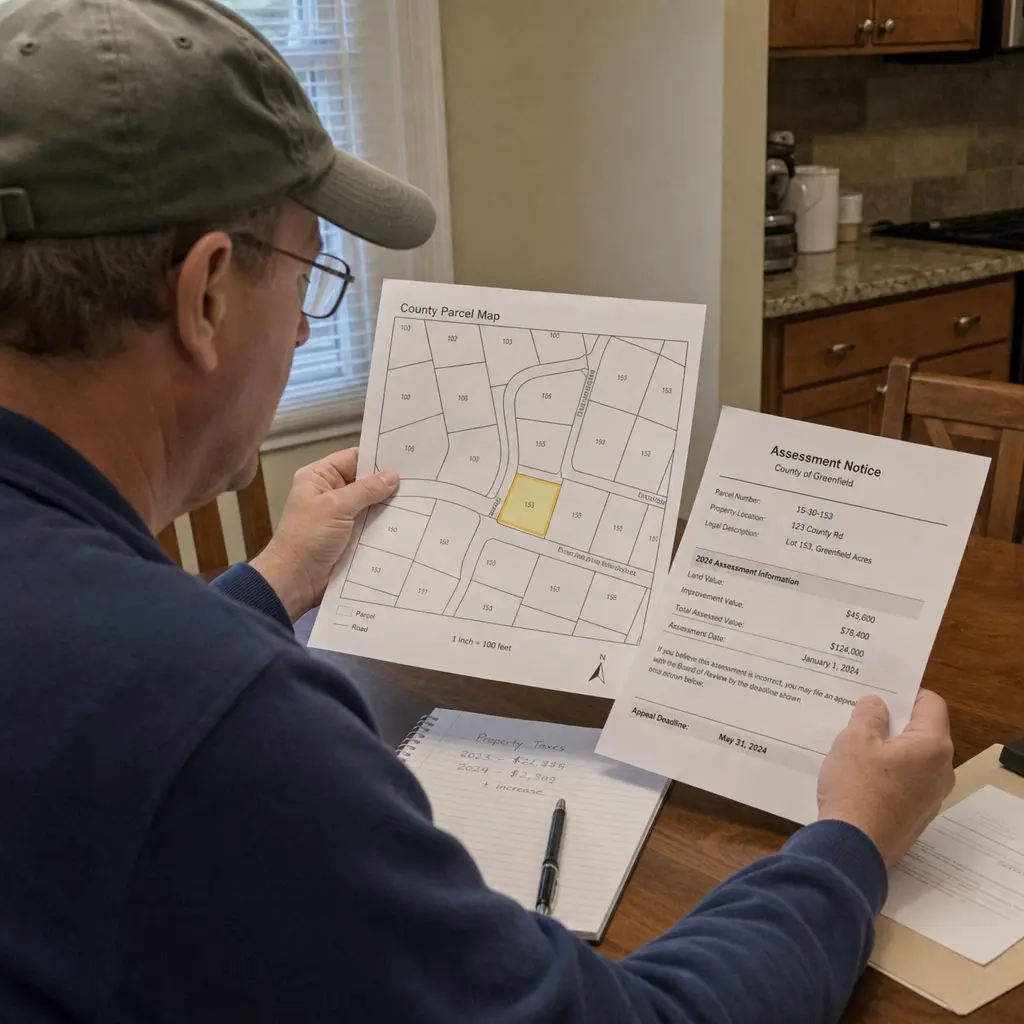
Property assessments can feel confusing, especially when a home value, tax notice, or parcel record changes and you are not sure why. This guide explains how Douglas County property assessments generally work, how to use public records and mapping tools, and what to review if your valuation or property tax bill does not look right. Think of it as a practical starting point for understanding the role of the assessor, reading your records, and preparing better questions before you contact a county office.
· 10 min read
Douglas County Assessor: Property Insights & Tax Guidance
A county assessor helps turn property information into fair, usable public records.
· 22 min read